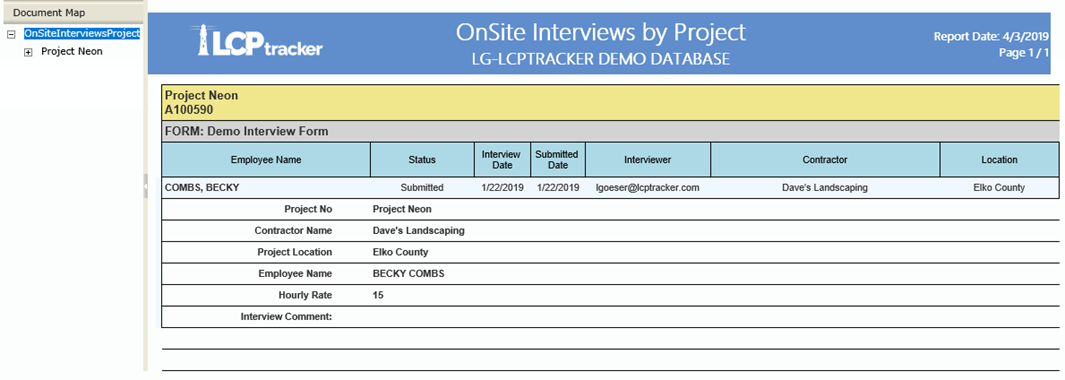
Report Description: this report groups the data entered in the Onsite Forms by PROJECT. This means that if the user runs the report for multiple forms, the report will split into sections based on the Projects the forms report on. Any fields that have been tracked will be listed and populated on the report. The report splits by contractor, keeping all the forms of a specific contractor together:
- Employee Name.
- Status.
- Interview Date.
- Submitted Date.
- Interviewer.
- Project.
- Project Location.
- Hourly Rate.
- Interview Comments.
Preconditions:
- Onsite must be setup.
- Templates need to be mapped and loaded into project.
Parameters:
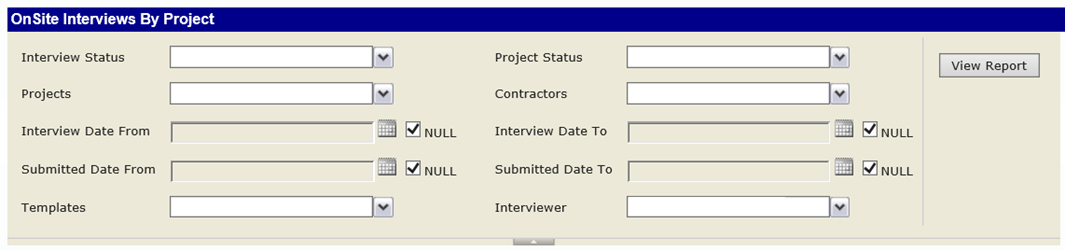
Note: if the user wishes to find all forms submitted for a specific date range for either type of date, they can uncheck the “Null” boxes and then enter the desired dates. This will enable the report to filter by the dates.
Report Sample:
Was this article helpful?
That’s Great!
Thank you for your feedback
Sorry! We couldn't be helpful
Thank you for your feedback
Feedback sent
We appreciate your effort and will try to fix the article